
4.9
 (345) Rating

Windows Server Hybrid Training (earlier MCSE) helps you master on-premises Windows Server and Azure hybrid environments. With Attari Classes Live, hands-on practical training, you will learn on-premises Windows Server key skills like Active Directory, DNS, Group Policy, NTFS permissions, OU management, Site Subnets, Replication, DFS, DHCP, IIS, ADCS, PowerShell, FSMO roles and much more. Also, you will gain practical understanding of how to use hybrid technologies, like Azure Entra ID Sync, Azure File Sync, Azure Update Manager, and Azure Hybrid Backup. An increasing number of companies are moving towards a hybrid environment. This course prepares you for roles such as Hybrid Cloud Administrator, Windows Server Engineer, and Windows System Administrator. With live projects and real-world labs, you’ll gain the ability to understand hybrid infrastructures — making you job-ready for today’s IT industry.
Instructor led live Training
Hands-on Practical Training
Trainer Support on WhatsApp
Recorded lectures on LMS
Access to Learning Portal
Certificate from Attari classes
Access to forum for new Job Openings
Support Desk for Student
Windows Server Hybrid Training (earlier MCSE) helps you in understanding on-premises and Azure hybrid environments with hands-on labs
Whether you are a Fresh Graduate, a Desktop Engineer, or an IT professional seeking practical server skills, this course is the perfect starting point to gain hands-on expertise in Windows Server and Hybrid Cloud technologies.
Microsoft Windows Server Hybrid Training can help you accelerate your career in roles such as Hybrid Windows Administrator, System Administrator, System Administrator, Wintel Administrator, System Engineer, Data Centre Operator, IT Support Specialist, or System Analyst.
By gaining knowledge of hybrid server technologies that combine on-premises Windows Server with Microsoft Azure, you’ll stand out to employers, gain the confidence to take on advanced responsibilities, and become a highly valued professional in any IT organization.
Learning Objective: In This Module, You Will Learn About servers, the Need for servers and the Types of Windows Server Operating systems, the Disadvantages of workgroups, and the Need for a Domain environment
Learning Objective: In this module, you will gain an understanding of Active Directory and DNS services, and perform hands-on tasks such as creating a Domain Controller and managing users and groups
Learning Objective: In this module, you will learn how to create and manage shared folders, configure different NTFS permissions, and implement File Server Resource Manager (FSRM) to control shared folders.
Learning Objective: In this module, you will learn about Group Policy and its application in Active Directory environments.
Learning Objective: In this module, you will learn about Additional Domain Controllers (ADC), Read-Only Domain Controllers (RODC), and how replication works in Active Directory. You will also understand how to configure Active Directory Sites and Subnets to optimize authentication
Learning Objective: In this module, you will learn about FSMO roles in Active Directory, how to transfer and seize roles, and understand Active Directory database Partition
Learning Objective: In this module, you will learn how to implement disaster recovery in Active Directory by enabling the AD Recycle Bin to restore deleted objects and performing System State Backups to ensure domain controller availability
Learning Objective: In this module, you will learn the fundamentals of Azure Cloud, including creating servers in Azure, understanding Subscriptions, organizing resources with Resource Groups, and exploring Regions, Virtual Networks (VNets), and Subnets for secure and scalable cloud deployment
Learning Objective: In this module, you will learn how to implement hybrid identities by integrating on-premises Active Directory with Microsoft Entra ID, configure Entra ID Connect for synchronization, and enable Single Sign-On (SSO) to provide seamless and secure access across on-premises and cloud resources
Learning Objective: In this module, you will learn about DNS, how it works, why it is needed, and you will practice creating DNS records, understand caching and resolution
Learning Objective: In this module, you will learn how to configure automate patching for Windows Servers using Azure Update Manager, and how to configure Azure Hybrid Backup to protect on-premises servers against data loss
Learning Objective: In this module, you will learn how to extend on-premises file servers to the Azure cloud using Azure File Sync. You will understand how to create and configure sync groups, connect on-premises file shares to Azure, and centralize your organisation’s share folder data in the Azure cloud
Learning Objective: In this module, you will learn the importance of a Web Server (IIS), how to install and configure IIS for hosting websites, understand the role and need of digital certificates, and implement a Certificate Authority (CA) Server using Active Directory Certificate Services (ADCS) to secure web applications with HTTPS.
Learning Objective: In this module, you will learn to manage Active Directory using PowerShell, creating and managing users, organizing objects in OUs, updating user attributes. You will also learn how to automate PowerShell commands using Task Scheduler.
Learning Objective: In this Module you will learn the technique to search job in the market and the tips to prepare a successful resume
Book a FREE Demo


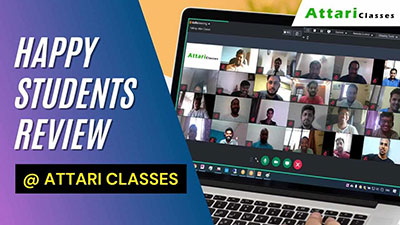


 Rohan Nivate
I recently completed the Windows Server Hybrid Training at Attari Classes. The overall experience was excellent. Zammer Sir’s teaching style is very practical and industry-oriented, with real-time examples and clear explanations. He patiently clears doubts and also shares valuable IT career tips and life lessons. I’m currently working as a Desktop Support Engineer (L2) at 9XM, Mumbai (Powai), and this training is helping me upskill toward a System Administrator role. Thank you to Attari Classes and Zammer Sir for the valuable knowledge and guidance.
 Akshay Khairnar
I recently completed the Windows Server Hybrid Course at Attari Classes and had a great learning experience. The course covers both on-premises Windows Server concepts and cloud integration in a very practical way. The trainer explains complex topics clearly and focuses a lot on real-world scenarios and hands-on labs. This helped me understand Active Directory, virtualization, and hybrid cloud environments much better. Overall, I would highly recommend Attari Classes to anyone who wants to build strong skills in Windows Server administration and hybrid infrastructure.
 Somnath Swain
I completed the Windows Server Hybrid course at Attari Classes, and it was a great learning experience. Zamir Sir explains concepts very clearly with practical examples. They also provide LMS access with lifetime availability, which is very helpful for revision. Highly recommended for anyone serious about server and system administration.
 Shaikh Sohail
Zameer Sir is a very knowledgeable and supportive trainer. His explanation of Windows Server Hybrid concepts was clear and well structured. The practical demonstrations and real-time scenarios made the training very effective. I gained valuable skills and confidence from this course. Thank you for the great learning experience
 Bhavesh Yadav
I completed the Windows Server Hybrid Course from Attari Classes, and it was an excellent learning experience. The trainers explained Windows Server, Active Directory, GPO, Azure integration, and real-world scenarios in a very clear and practical way.The course is job-oriented, with hands-on labs and interview-focused guidance, which really helped me understand on-prem + Azure hybrid environments. Support from the faculty was outstanding, and doubts were cleared patiently.
 Chaitanya taneja
I have completed the Azure and Windows Server Hybrid training, and I am very satisfied with the learning experience. The Zameer Sir explained concepts clearly, from basic fundamentals to advanced topics, and provided practical, real-world examples that made complex concepts easier to understand. The hands-on sessions were especially helpful in building confidence. Overall, it was a very informative and well-structured training, and I would highly recommend Zameer sir to others.
 Nootan Sheladiya
My experience during this training was truly excellent. It is difficult to express in words how valuable and enjoyable the learning journey was. Every class felt like a personal one-to-one session because Sir always ensured that every student clearly understood the concepts. Zamir Sir explains every topic with great detail, patience, and real-world examples, which makes even complex concepts very easy to understand. The way he connects theory with live practical examples helps students learn quickly and confidently. The 5 weeks of training passed so quickly, and during this time we learned a tremendous amount of practical knowledge about Windows Hybrid Server. Sir is extremely supportive and always ready to answer questions until the concept becomes completely clear. I am truly grateful for this learning experience and I am looking forward to continuing my CCNA course with Zamir Momin Sir in the future as well. I highly recommend Attari Classes and Zamir Momin Sir to anyone who wants to build strong practical knowledge in IT.
DATE |
SCHEDULE |
TIME |
6th SEPTEMBER |
SAT & SUN (5 WEEKS)Upcoming Weekend Batch |
8:00 AM to 12:00 PM (IST)
|
1st AUGUST |
SAT & SUN (5 WEEKS)Batch Started |
1:30 PM to 5:30 PM (IST)
|
Learn Windows Server Hybrid Administration from Industry Expert Trainer
Microsoft Azure, Windows Server Hybrid & CCNA
We provide two modes of training
1. Instructor led live Online/Classroom training where you would be performing live practical along with Trainer, its an interactive session you can ask questions and resolve queries during the lectures
2 . Self paced training where you can learn using Learning Managment System (LMS), in LMS you will get access to live Recorded lecture and Trainers notes, however if you wish you can upgrade to Instructor led training in fututre
Yes you can switch from self-paced training to live instructor-led training by simply paying the difference in fees
If our batch timing are not suitable or you want to learn fast at your own pace, you can learn using Learning Managment System(LMS), in LMS you will get access to live Recorded lecture and Trainers notes, however if you wish you can upgrade to Instructor led training in future
If you go for Instructor led training , trainer provide support on Whatsapp, You will have direct access to Trainer Whatsapp number , For any queries you can ping trainer on Whatsapp
Kindly contact support team +91-7738375431 to book seat for DEMO lecture
Yes, upon completion of the course, you will get a course certificate from Atari Classes
It will be an Interactive session, you would be performing live practicals along with the Trainer , You will get access to our Lab PC for Practicals
No worries, along with the course you get free Access to Learning Managment System (LMS), where you get topic wise live recorded lecture and trainers notes You can learn using LMS and be ready before the next lecture, for any queries you can ping trainer on WhatsApp Also you can attend the missed session of Windows Server Hybrid Training course, in any other live batch
Yes
Call our Support desk on +91 7738375431 & our Techical Counsellor will guide you on your career path
The Duration of this course is approx 40 hrs
You can just search Attari Classes in Google to check reviews
Atari Classes is one of the best learning platforms, we make you Job ready. Since there is a big demand for IT professionals, as opening arises lots of recruitment firms and our ex-students contact us, we help our students who are looking for job to connect to prospective employers. We also help our students prepare their resumes and provide assistance for interview preparation, if you go through the course diligently you will be in a very good position to crack the interviews yourself and find a wellpaid job, matching your profile
For the Windows Server Hybrid certification cost, you can contact us or fill out our enquiry form.
You will be working on exciting projects that will test your skills, learning capabilities, and practical knowledge, making you completely industry-ready.
Book a FREE Demo

© 2026 Attari Classes. All Rights Reserved
For Career Assistance :  +91
7738375431
+91
7738375431
Drop a Query